
From checkout scan to active member
Your loyalty program is already there. Make it easier to join.
LoyalT adds a browser-first, branded enrollment and card-access layer to the loyalty system you already operate — without forcing customers to install an app, create a password or complete a checkout form.
Built for loyalty platforms, POS integrators and multi-location operators.
- No consumer app
- Browser first
- Your backend stays
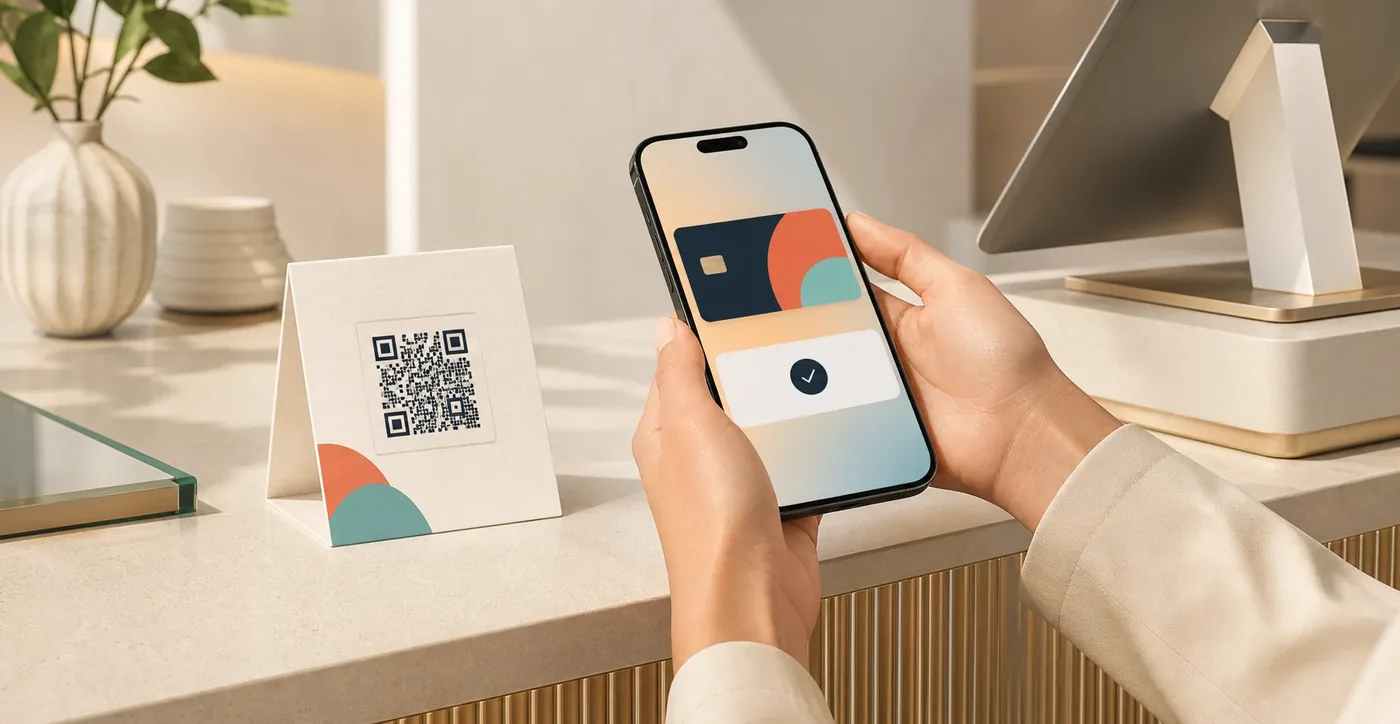
Scan → link → use
One small front door to the system you already trust
The market signal
Enrollment is high. Useful participation is not.
Consumers already join loyalty programs. The harder job is getting them to value quickly and making the card easy to use again. LoyalT removes friction at those two decisive moments.
SourceDeloitte 2025 loyalty survey · 5,564 U.S. adultsThe activation gap
The program may be fine. The front door is not.
At a busy counter, every extra request competes with the purchase itself. LoyalT focuses on the thin but important layer between an anonymous checkout and a loyalty record that can be used again.
Another app
A new download, permission prompt and account can be too much for a benefit the customer has not experienced yet.
Another form
Typing personal details or asking a cashier to do it adds delay, errors and pressure at the worst possible moment.
Another isolated ID
A shiny new experience is not useful if it creates duplicate records or bypasses the existing loyalty source of truth.
A focused integration layer
Keep the loyalty logic. Modernize the moment of entry.
LoyalT connects the customer touchpoint to the loyalty process you already operate. Your program keeps its rules, data and economics while customers get a faster front door.
QR, receipt or web link
A branded invitation at checkout or in a digital journey.
Enroll, link and surface the card
Browser-first experience with optional progressive profile steps.
Loyalty API, POS or CRM
Your program rules, ledger, rewards and reporting remain where they are.
Customer journey
From checkout to card in a focused, branded flow
Four visible steps take the customer from a checkout scan to a card they can use now and find again later.
- 01
Scan
The customer opens a QR code or secure link using the phone camera — no dedicated consumer app.
- 02
Link or create
LoyalT connects the visit to the existing loyalty process using the integration rules agreed with the merchant.
- 03
Show the card
A branded browser card and its barcode or identifier are ready for the current program to use.
- 04
Return
A returning browser or merchant recovery flow can surface the existing card again, subject to the deployed privacy model.
Value first. Profile later, when it is useful.
Name, email or a physical-card link can be requested later where the merchant needs recovery, cross-device access or marketing consent. Data collection is defined per deployment — not assumed by the landing page.
Two demos · two different moments
Try the checkout experience. Then see how a cardholder returns.
These QR codes do different jobs. The first represents the code displayed at a store checkout. The second appears later inside the cardholder portal to authorize account access.
Demo 1 · At checkout
Scan the store QR and see the card
Use your phone camera to scan this code. The browser opens the LoyalT enrollment flow, looks for a loyalty card already linked to this device and, when none is found, creates one. In either case, the card is then displayed.
 Scan with your phone camera
Viewing this page on a phone? Use the button instead of trying to scan your own screen.
Demo 2 · Later, on another device
Open the cardholder portal
Open the portal on a desktop or laptop, select Login and scan the sign-in QR with the phone used for the loyalty card. The portal then shows the connected card and the account information supplied by the loyalty system.
- 1Open the portal and select Login
- 2Scan the portal QR with your phone
- 3View the connected card and account information
The checkout QR and the portal login QR are not the same step. Points and statistics shown in the portal come from the connected loyalty system; LoyalT does not calculate them.
Designed for the real stack
The shortest path from scan to active member
Browser first
The core journey works on the web, so a native app is not the gate to enrollment.
Backend neutral by design
The integration is shaped around the system that already owns members, points and rewards.
Branded per deployment
Each customer experience can use the merchant or partner brand and a dedicated URL.
Progressive data capture
Start with the minimum required for the flow; request more only with a clear purpose and consent.
Pilot metrics included
Instrument scan, completion, card creation, return access, duplicates and staff assistance where the integration allows.
Partner-friendly motion
A loyalty or POS vendor can add the experience without positioning a new engine against its own platform.
Best first fit
For teams that already have a loyalty backend — and a front-door problem
LoyalT is strongest when there is an existing program, a realistic integration point and an enrollment or access journey worth measuring.
Priority
Loyalty and POS platforms
Add a white-label, app-free activation path for several merchants without rebuilding the loyalty core.
- Product and partnership teams
- API or webhook access
- Merchant base with in-store journeys
Priority
Retail-tech integrators
Use LoyalT as a focused edge component in a broader loyalty, CRM or POS implementation.
- System integrators and agencies
- Legacy modernization
- Partner-led deployment
Direct pilot
Multi-location operators
Test one high-friction walk-in flow while keeping the current program and operating model in place.
- QSR and cafés
- Convenience, grocery and specialty retail
- Fitness, beauty and service chains
Validate before scaling
One backend. One journey. A result you can actually measure.
Start with one visible journey, prove the improvement in real customer behavior and scale only what works.
- 01
Map
Review the current enrollment, card lookup, source of truth and privacy requirements.
- 02
Scope
Confirm API feasibility, duplicate handling, recovery, events, responsibilities and success metrics.
- 03
Run
Launch one journey in a small set of locations or a single digital channel.
- 04
Decide
Compare completion, time, data quality, return use and operational effort before expanding.
Suggested pilot measures
scan-to-card completionmedian time to cardnew vs. linked member recordsduplicate or failed signupsreturn card retrievalcashier or support assistance
With a documented, accessible API, a focused pilot can typically launch in a few days to one week.
Choose the fastest route
Fix the front door without reopening the whole platform decision
If your loyalty engine already works, choose the layer that removes enrollment friction while preserving the stack behind it.
| Decision point | LoyalT | Native app | Wallet pass | New platform |
|---|---|---|---|---|
| Works without an app download at checkout | Yes | No | Yes | Depends |
| Keeps the current loyalty backend | Designed for it | Often | Required | Usually replaces or expands it |
| Purpose-built scan-to-card journey | Core job | One part of the app | Pass-first | Varies |
| API-ready pilot in days, not months | A few days to one week | Usually longer | Days to weeks | Usually months |
What buyers ask first
The answers you need to move forward
What does LoyalT add to our current stack?
A branded, browser-first enrollment and card-access layer. Your current system keeps managing members, points, rewards and reporting; LoyalT makes the first and returning customer moments dramatically easier.
Do customers need to install an app?
No. They scan a QR or open a secure link in the browser, receive or retrieve their card and can use it immediately.
How quickly can we launch?
With a documented member or card API and an available test environment, a focused pilot can typically be connected in a few days to one week. The fit check identifies any identity, security or recovery work that could extend that timeline before the project starts.
Can LoyalT connect to our POS or loyalty system?
That is the core delivery model. We map member lookup, card creation, duplicate handling, events and recovery to your existing APIs, then validate the complete flow in a bounded pilot.
How does a customer find the card again?
The returning browser can surface an already linked card, while the cardholder portal provides a clear login path from another device. The exact recovery rule is configured around your customer and security model.
What customer data does LoyalT need?
Only the data required to create, link and recover the card. Profile and marketing fields can be requested progressively, after the customer has already received value.
Who should start the conversation?
The fastest team is usually a loyalty, digital product, POS product or partnerships owner together with one technical contact who knows the member APIs. A short fit check is enough to identify the pilot path.
Start with the real flow
Show us where enrollment breaks.
Bring a screenshot, a short checkout video or an API overview. In 30 minutes we will map the friction, the integration path and the smallest pilot that can prove value.
- Current loyalty or POS platform
- Where customers abandon or staff intervene
- The metric that would justify a pilot
sales@identite.us · Talk directly with the Identité team behind LoyalT.